Stop Staring At A Blank Page… And Start Creating Printables Kids Actually Want To Use
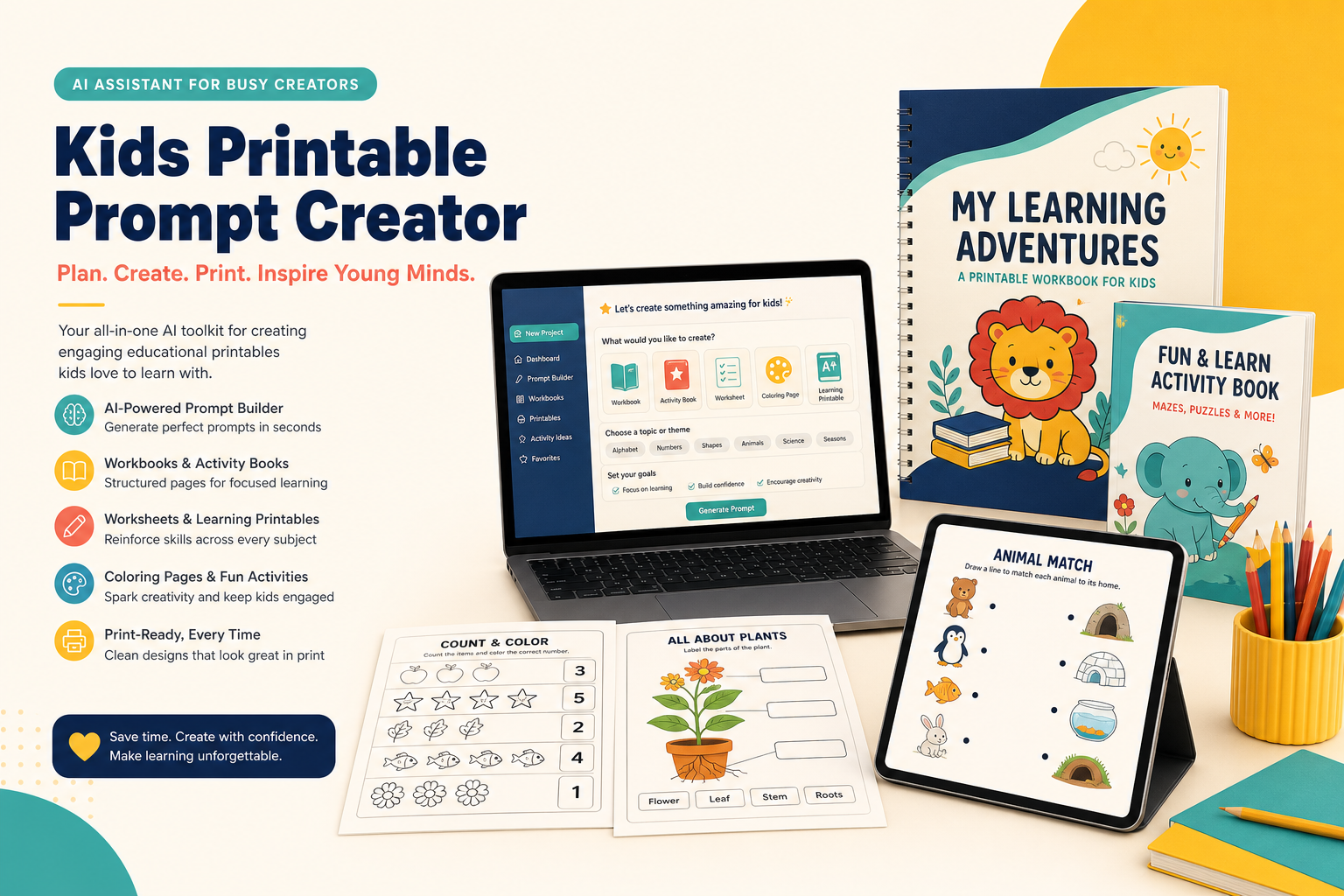
Meet Kids Printable Prompt Creator — your specialized AI creative partner for planning workbooks, mapping every page, and writing one precise, image-ready prompt at a time.
- Transform a rough educational idea into a logical page-by-page plan
- Create dedicated prompts for workbooks, worksheets, activity books and coloring pages
- Keep mascots, line weight, margins, colors and difficulty consistent
- Format every page for US Letter or A4 print production
Instant digital access • Beginner-friendly • Works with leading AI image tools
Dear Printable Creator,
You probably did not decide to create educational printables because you wanted to spend your evenings wrestling with vague prompts, inconsistent characters, broken layouts, and pages that look as though they came from five different products.
You started with a useful idea. Maybe you imagined a cheerful alphabet workbook for a four-year-old. Maybe you wanted a set of animal-themed math sheets for kindergarten. Maybe you saw an opportunity to publish a dinosaur coloring book, build a resource for your classroom, support your homeschool lessons, or create a digital product customers could download and print.
The idea felt exciting. It had purpose. It could help a child recognize letters, practice counting, strengthen pencil control, learn a new word, or simply enjoy a quiet creative moment. Then you opened an AI tool and typed something like, “Make a children’s workbook about the alphabet.”
What came back looked impressive for three seconds — and useless when you looked closely.
Maybe the AI produced a collage containing twelve tiny worksheets instead of one printable page. Maybe the title was distorted. Maybe the tracing lines were too small for a child’s hand. Maybe the fox mascot became a bear on page two, a rabbit on page three, and a strange three-eared creature on page four. Maybe the first page looked designed for preschool while the next required third-grade reading ability.
And suddenly your simple idea became a pile of decisions: What should each page teach? What comes first? How many activities are enough? How do you make the difficulty progress naturally? What should the layout include? How much white space should you leave? Which dimensions should you specify? How do you describe a mascot consistently? What details must repeat in every prompt?
That is why Kids Printable Prompt Creator exists. It is not a general chatbot pretending to understand children’s printable design. It is a specialized GPT built around one focused job: helping you turn an educational concept into a structured, consistent, page-by-page printable project, with a separate generation prompt for every individual page.
It gives your creativity rails to run on. It helps you think like a curriculum planner, an activity designer, a visual art director, and an AI prompt specialist — without demanding that you become all four before you can make your first useful page.
Instead of asking you to solve everything at once, it guides the project through a deliberate sequence. First the idea becomes a page plan. Then each page receives a clear purpose. Then each purpose becomes a detailed prompt. Then you choose whether to generate, revise, copy, or move forward. One page. One objective. One prompt. One controlled result.
If you have ever thought, “I know what I want to create, but I do not know how to explain it to the AI,” this was built for you.
A General AI Can Give You An Image.
That Does Not Mean It Can Give You A Workbook.
A usable printable series requires instructional logic, production discipline and visual consistency. Miss any one of them and the whole product feels unfinished.
Random Pages, No Learning Journey
A collection of attractive activities is not automatically a workbook. Children need a clear progression. Recognition should often come before tracing. Guided practice should come before independent practice. Simple tasks should prepare the learner for harder ones. Without a plan, every page competes for attention instead of building on the previous page.
A Different Visual World Every Time
One prompt asks for a cute dinosaur and gets soft pastel 3D art. The next gets thick black cartoon lines. The next changes the character’s colors, proportions and expression. The result may be technically “cute,” but it does not look like one coherent product parents, teachers or customers can trust.
Pretty On Screen, Painful To Print
AI images are often composed like posters, social graphics or concept art. A printable needs practical margins, uncluttered working space, readable headings, age-appropriate answer areas and an intentional page ratio. A beautiful illustration can still be a terrible worksheet when the child has nowhere to write.
Instructions Too Vague To Control
“Make a counting page” leaves hundreds of decisions unstated. How many objects? What number range? Where does the child write? Is the activity coloring, circling, matching or filling a box? Is the page grayscale or color? What should stay consistent with the previous pages? Every missing decision becomes an invitation for the image model to improvise.
Hours Lost To Trial And Error
Creators often rewrite the same prompt ten different ways, fixing one problem while creating another. The mascot becomes correct but the activity disappears. The layout improves but the text gets smaller. The page becomes printable but no longer matches the series. Unstructured iteration drains the excitement out of the project.
A Product That Feels Incomplete
Customers notice inconsistency even when they cannot name it. Teachers notice confusing instructions. Parents notice wasted ink. Children notice when the page feels crowded or frustrating. A professional printable product is not defined by one stunning page; it is defined by the dependable quality of every page.
One Idea. One Plan. One Prompt Per Page.
No Collages. No Guesswork. No Creative Chaos.
Kids Printable Prompt Creator separates planning from production so you can approve the structure before spending time generating artwork.
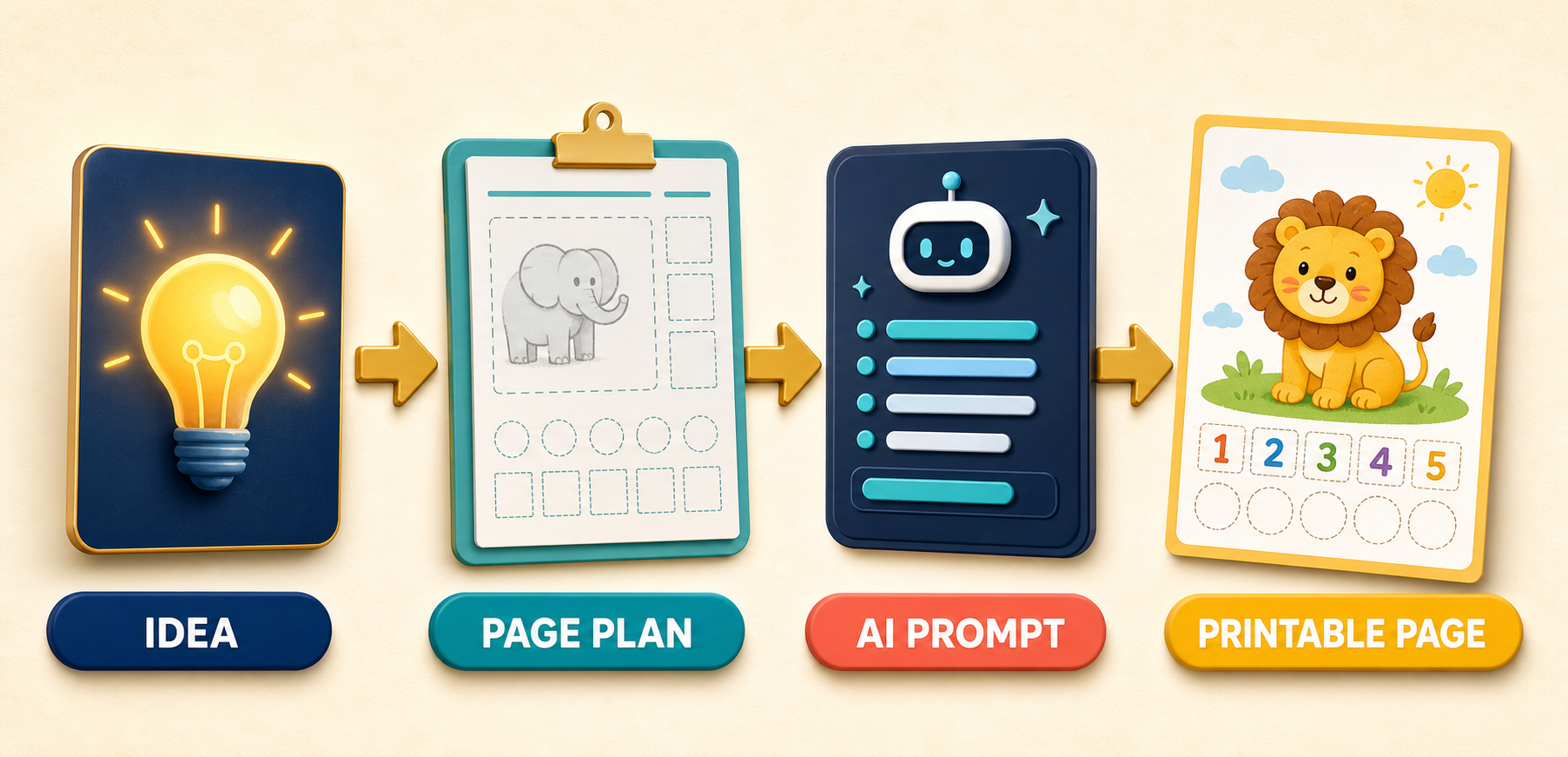
1You Bring The Seed
Tell the GPT what you want to create in ordinary language. For example: “Create a 20-page number workbook for four-year-olds with cute animals,” or “I want a 30-page dinosaur coloring book,” or “Help me build alphabet handwriting worksheets for kindergarten.” You do not need to arrive with a curriculum document, an art-direction guide or perfect prompt language.
The system identifies the audience, subject, learning goal, theme, page count and likely activity formats. When necessary, it helps narrow an idea that is too broad, expand one that is too thin, or arrange multiple goals into a sequence that makes sense.
2It Builds The Page Plan
Before image generation begins, the GPT maps the workbook page by page. Every page receives a page number, title, activity type, learning objective, main content, illustration or mascot direction, and difficulty level. This becomes the project blueprint.
Because you can review the plan first, you can catch repetition, missing skills, awkward jumps in difficulty and weak activity variety before they become expensive design problems. You are not merely making pages. You are designing a complete learning experience.
3It Writes One Controlled Prompt
For each page, the GPT produces a dedicated image-generation prompt describing the exact page type, educational content, composition, visual style, character, line quality, work area, typography, margins and print dimensions. The prompt is designed to generate one page — never a board of thumbnails and never a fake multi-page preview.
This one-page discipline makes each result easier to inspect, revise, regenerate and keep consistent. If page seven needs adjustment, you change page seven. You do not disturb the rest of the workbook.
4You Stay In Control
After each prompt, you choose the next move: generate the page, revise the prompt, continue to the next page, or copy the prompt for another AI image tool. You are never locked into an automatic avalanche of thirty uncontrolled images.
This approval loop protects your creative direction. It also allows you to test a mascot, title treatment or activity layout early, refine the style, and then carry the winning decisions through the complete project.
Not “Ideas About Printables.”
A Production Blueprint You Can Use.
Here is what happens inside a well-planned project.
Workbook Concept Development
Kids Printable Prompt Creator helps translate a broad topic into a focused educational product. If you want an alphabet workbook for a four-year-old, it can help establish the learning objectives, decide which letter skills belong in the project, estimate an appropriate page count, select activity types and create a logical progression.
Instead of repeating “trace the letter” twenty-six times, the plan can vary the child’s interaction: recognize the letter, trace it, connect it to a picture, find it among distractors, write it independently, color an object that begins with it, or complete a simple phonics task. Variety keeps the project useful without making it inconsistent.
The same thinking applies to counting, addition, subtraction, shapes, patterns, sight words, vocabulary, science topics, fine motor skills, cutting practice, mazes, matching, sorting, memory games and coloring books.
Detailed Page Plans
Every page is defined using practical fields: page number, page title, activity type, learning objective, main content, illustration or mascot and difficulty level. These fields force useful decisions to happen before art generation.
Imagine page three is called “Count the Apples.” The activity type is a counting worksheet. The learning objective is practicing numbers one through ten. The main content is a set of apple groups with clear answer boxes. The mascot is the same smiling fox used across the series. The difficulty is beginner. That short definition already removes much of the ambiguity that causes poor AI output.
Across a larger workbook, the plan becomes a quality-control tool. You can scan the titles for repetition, compare objectives, balance activity types, confirm the age level and ensure the final pages deliver the promise made on the cover.
Image-Ready Prompts For Individual Pages
The system’s most important discipline is simple: each page gets its own prompt. It does not ask an image model to design an entire workbook in one picture. It does not request twenty worksheets on a single canvas. It does not create a collage and pretend the tiny previews are usable printable files.
A dedicated page prompt can specify the title position, activity instructions, illustration placement, number of objects, answer area, writing lines, line thickness, border treatment, background cleanliness, print ratio and style rules. This is the level of specificity that turns a general concept into an actionable production instruction.
Use the prompts with ChatGPT Image, Midjourney, Leonardo AI, Ideogram, Flux or another capable image-generation tool. The GPT gives you a structured direction; you choose the tool and production workflow that fits your business.
Print-Aware Specifications
Digital artwork and printable artwork are not the same. Kids Printable Prompt Creator can define standard production targets for US Letter at 8.5 × 11 inches, commonly prepared at 2550 × 3300 pixels for a 300 DPI print target, or A4 at 8.27 × 11.69 inches, commonly prepared at 2481 × 3507 pixels for a 300 DPI print target.
It also prompts for the practical details that matter after printing: safe margins, clear contrast, adequate working space, readable headings, large answer boxes, age-appropriate writing lines and controlled visual complexity. These details reduce the risk of creating a page that looks exciting on a monitor but becomes cramped, faint or confusing on paper.
A Reusable Consistency System
For a thirty-page workbook, consistency should not rely on memory. The GPT can keep a defined mascot, illustration style, line weight, color palette, title system, margin system and writing-line treatment across the project.
For a “Cute Dinosaur Math” workbook, the style direction might call for the same small friendly dinosaur, bold black outlines, a pastel palette, large white spaces and an age range of five to seven. Those instructions can be repeated and adapted for every page, giving the image model fewer opportunities to reinvent the product.
This does not guarantee that every image model will obey every detail perfectly. No honest AI workflow can promise that. What it does give you is a consistent specification, a controlled revision process and a much stronger starting point than improvising every prompt from zero.
One Focused GPT. Dozens Of Product Directions.
Use it for a single classroom page, a themed printable pack or a complete multi-page digital product.
Math Printables
Create counting practice, number recognition, addition, subtraction, shapes, patterns, measurement and early problem-solving activities. Ask for visual manipulatives, answer boxes, number lines, matching exercises or progressive practice suited to the child’s age.
The GPT can help prevent the common mistake of mixing too many skills on one page. Each activity can focus on one meaningful objective while the workbook sequence handles progression.
Language & Literacy
Plan alphabet recognition, phonics, sight words, vocabulary, handwriting and letter-tracing resources. Create a sequence that moves from seeing and identifying a symbol toward tracing, writing, matching and using it.
Theme the experience around animals, food, transportation, seasons or another familiar world without allowing the decoration to overwhelm the learning task.
Early Science
Build simple resources about animals, plants, the human body, seasons and space. Define labeling pages, observation activities, sorting tasks, basic diagrams and age-appropriate fact practice.
The page plan can separate concepts so the child encounters one clear idea at a time instead of facing a dense textbook-style page.
Fine Motor Skills
Develop tracing paths, cutting practice, pre-writing strokes, simple mazes and hand-eye coordination pages. Specify thick paths, generous spacing, safe visual boundaries and gradual increases in complexity.
Because motor-skill pages are physical activities, printable layout discipline matters enormously. The prompt can reserve space for scissors, pencils, crayons and small hands.
Games & Puzzles
Plan matching, sorting, memory games, mazes, visual searches, simple logic activities and themed puzzle books. Define the rule, objective, number of items and answer interaction so the result is more than attractive decoration.
Use recurring mascots and story themes to make separate activities feel like one adventure.
Coloring & Creative Pages
Create coloring books, holiday pages and imaginative activity books using clear black outlines, open shapes, age-appropriate detail and one subject composition per page.
Plan thirty unique dinosaur scenes, seasonal animals, vehicles, fantasy creatures or learning-based coloring prompts while preserving a unified line style across the full book.
From “Alphabet Workbook” To A Sequence A Child Can Follow
Suppose you enter: “I want to create an alphabet workbook for a four-year-old.” A general assistant may give you a list of letters. Kids Printable Prompt Creator can help turn the request into a learning sequence.
The first pages might introduce the visual identity of the workbook and establish basic pencil control. Then each letter can move through recognition, tracing, picture association, visual discrimination and independent formation. Review pages can mix previously learned letters without introducing difficulty too quickly.
| Page | Activity | Learning Purpose |
|---|---|---|
| 1 | Meet Letter A | Recognize uppercase and lowercase forms |
| 2 | Trace Letter A | Practice guided letter formation |
| 3 | Match A To Pictures | Connect sound, symbol and vocabulary |
| 4 | Find Every A | Build visual discrimination |
| 5 | Write Letter A | Move toward independent formation |
Then each row can become a separate detailed AI prompt. The fox mascot stays the same. The title style stays the same. The margins and writing lines stay the same. The activity changes because the objective changes — not because the AI randomly reinvented the page.
What A Single Page Prompt Can Define
- One portrait US Letter worksheet
- Page title and simple child-friendly instruction
- Exact number and placement of tracing examples
- Large dotted letterforms with directional arrows
- Consistent smiling fox mascot in one corner
- Pastel accent palette and bold black outlines
- Wide safe margins and generous white space
- Independent writing lines at the bottom
- No collage, mockup, desk scene or extra pages
- Print target and page ratio
Important: The GPT prepares the creative plan and prompts. You should still review AI-generated spelling, counting, answer logic and print quality before selling or giving pages to children.
Who Can Put This To Work Immediately?
Teachers
Create targeted practice sheets around the lesson you are already teaching. Build review pages, early-finisher activities, themed units and differentiated practice without beginning every design from a blank canvas.
Use the page plan to clarify the skill behind each activity, then generate prompts that reserve the space students need to respond. Adapt themes to your classroom without losing instructional purpose.
Homeschool Parents
Turn a child’s current interest into a learning resource. If your learner loves dinosaurs, space, ocean animals or construction vehicles, use that interest as the visual theme for counting, writing, matching or science practice.
Create shorter projects around a week’s goal or a larger workbook for a month-long learning journey. The GPT helps organize ideas so you spend more time learning together and less time fighting prompt wording.
Etsy & Gumroad Sellers
Explore new printable product concepts, plan coherent bundles and write production prompts faster. Use consistent specifications to make your listing feel like a designed product rather than a folder of unrelated pages.
You remain responsible for quality control, commercial rights, platform rules and customer expectations. The value is a faster, clearer creative workflow that can help you test and develop product ideas with greater discipline.
Educational Content Creators
Support lessons, videos, memberships, newsletters and communities with downloadable activities that extend the teaching experience. Turn one topic into a sequence of pages rather than offering a generic worksheet disconnected from your content.
Children’s Resource Designers
Use the GPT as a planning and prompt-development partner. Even experienced designers can benefit from a repeatable brief format, consistent page metadata and a fast way to explore activity variations before production.
First-Time Digital Creators
Start with plain language. You do not need advanced prompt engineering, curriculum-writing credentials or professional illustration software to organize the idea. The guided workflow gives you a practical path from concept to first page.
The Difference Between A Chatbot And A Creative Operating System
There is nothing wrong with a general-purpose AI. It can help write an email, explain a concept, brainstorm a recipe, summarize a document or draft code. Its strength is breadth. But breadth becomes a weakness when your project depends on a set of specialized rules being remembered every time.
A kids printable workflow has a specific definition of success. The page must teach or entertain clearly. The activity must match the age. The layout must survive printing. The child needs physical space to work. The visual system must remain consistent. The prompt must describe one page rather than a product mockup. The project needs a progression, not merely a theme.
Kids Printable Prompt Creator keeps returning to those concerns because they are built into its purpose. When you request a workbook, it thinks about the page plan. When you request a page, it thinks about the activity objective and work area. When you build a series, it thinks about the style anchor and repeated specifications.
This focus also improves the conversation. You do not have to re-explain the entire philosophy before every prompt. You can move through the project page by page, make one controlled revision, approve a direction and continue.
Think of it as the difference between walking into a warehouse containing every tool imaginable and opening a carefully arranged kit for one job. The warehouse may contain more. The kit helps you start.
That order matters. When the objective is unclear, the activity becomes unclear. When the activity is unclear, the layout becomes unclear. When the layout is unclear, the image prompt becomes a lottery ticket. The page plan solves the first problem before it spreads into the others.
And because the plan is visible, you can apply your own expertise. A teacher can adjust the difficulty. A parent can adapt the topic to a child. A seller can compare the project with a market need. A designer can refine the art direction. The GPT does not remove your judgment; it gives your judgment something concrete to work on.
What Creating A 30-Page Workbook Can Look Like Now
Before
You open an empty document, then jump to an image tool because generating pictures feels like progress. You create a cover before deciding the page sequence. You improvise the first activity, then search for a second. By page six, your mascot has changed and the title is in a new font.
You realize the pages do not progress in difficulty. Three activities teach the same thing. A critical skill is missing. You regenerate pages repeatedly because answer spaces are too small. Then you begin renaming files, lose track of versions and postpone the project.
The creative energy that started the idea is consumed by dozens of tiny structural decisions.
With Kids Printable Prompt Creator
You describe the audience, topic, page count and theme. The GPT proposes a page plan. You inspect the complete journey before generating page one. You revise the sequence while changes are easy.
Next you establish a visual system: mascot, palette, line style, title hierarchy, margins and work areas. The GPT writes one detailed prompt for page one. You generate or copy it, review the result and refine the direction. Once the style works, you continue page by page.
Every page has a reason to exist. Every prompt has a clear target. Every revision is contained. The project becomes a sequence of manageable approvals instead of one enormous creative gamble.
Turn Your Next Printable Idea Into A Project You Can Actually Finish
Kids Printable Prompt Creator gives you a focused planning and prompt workflow for building coherent educational printables — one useful page at a time.
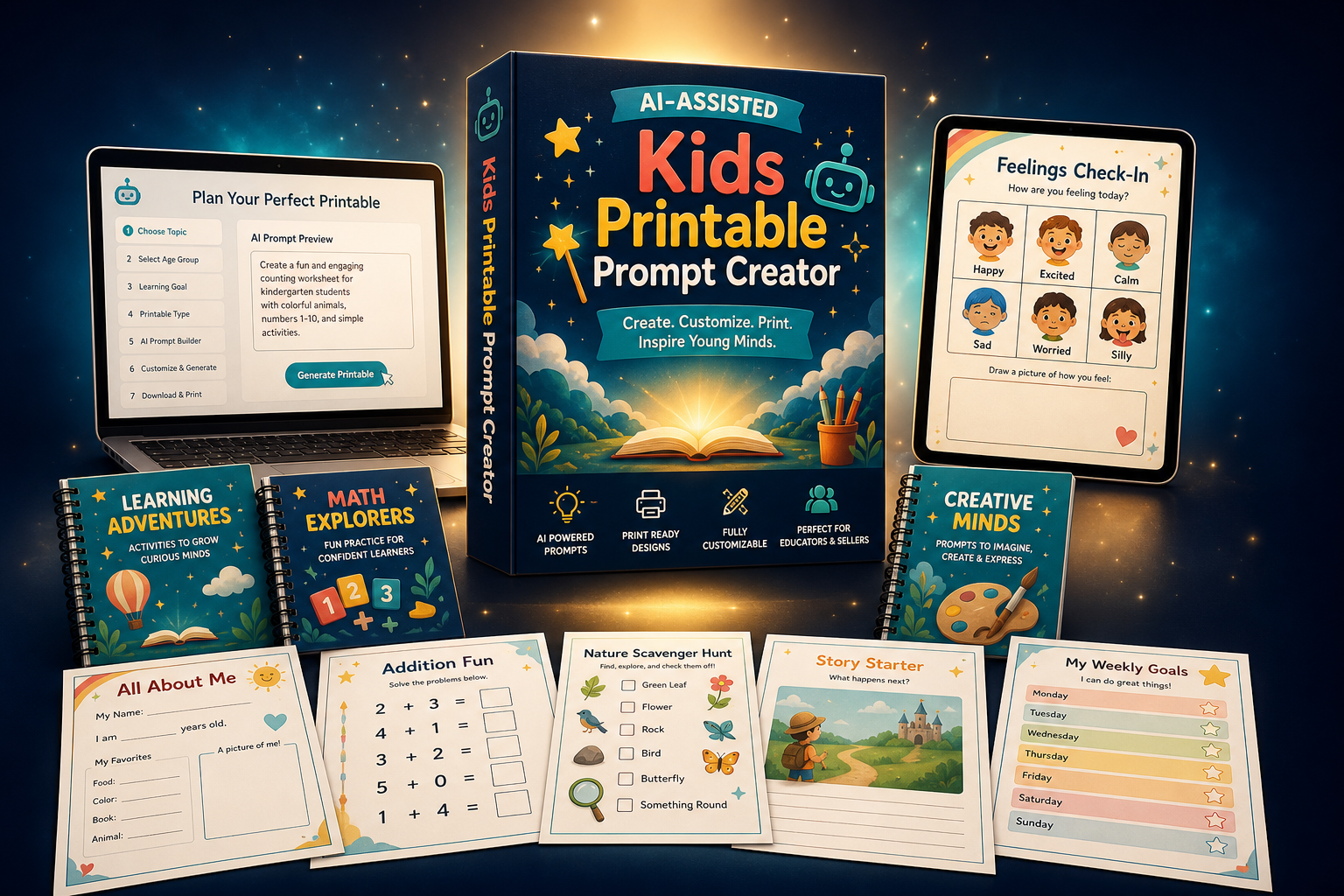
Here Is What You Get
The Guided Project Starter
Begin with an ordinary idea and receive help clarifying the audience, learning goal, theme, project type, page count and difficulty direction.
The Page Plan Builder
Map every page using page number, page title, activity type, learning objective, main content, illustration or mascot and difficulty level.
The One-Page Prompt Generator
Create a dedicated, image-ready prompt for every printable page, with layout, style, work areas, typography and print specifications.
The Consistency Direction
Carry the same mascot, illustration style, line weight, palette, title system, margins and writing-line treatment across the project.
The Controlled Revision Loop
Choose whether to generate, revise, copy or continue so the creative process stays manageable and each page can be improved independently.
Kids Printable Prompt Creator
For creators who want clarity before generation and consistency before publication.
- No complicated setup
- No prompt-engineering experience required
- Works for single pages and multi-page projects
- Supports US Letter and A4 directions
- Use prompts with your preferred AI image tool
- Return whenever you have a new project idea
One simple decision can save hours of scattered planning on every future project.
You Already Have Enough Ideas.
Now Give Them A System.
Imagine entering “20-page ocean animal counting workbook for preschool” and receiving a page sequence that moves from recognizing quantities to counting, matching, comparing and simple review — all tied together by one cheerful turtle mascot.
Imagine planning a complete alphabet tracing pack where every letter page follows the same visual hierarchy, writing-line system and illustration style, instead of manually reconstructing your prompt twenty-six times.
Imagine turning a seasonal idea into a holiday activity book with mazes, matching, coloring, visual search and cutting practice that feels like one designed collection instead of unrelated downloads.
Those are not promises of automatic perfection. They are examples of what becomes easier when the project has structure. You still review the educational accuracy. You still inspect every image. You still decide what represents your brand and your learners. But you stop asking a blank chat box to make hundreds of hidden decisions for you.
You start with a blueprint. You create with intention. You revise a specific target. You move forward one page at a time.
That changes the emotional experience of the project. Instead of wondering whether you will ever finish, you know what page comes next. Instead of worrying that the workbook is repetitive, you can see the activity mix. Instead of trying to remember how you described the mascot two weeks ago, the style direction is part of the system.
Progress becomes visible. And visible progress is one of the strongest forces for finishing creative work.
When You Know What To Ask For,
The Blank Page Loses Its Power.
Use these examples as starting points, then let the GPT turn each request into a full page plan before writing the individual prompts.
1. Cute Animal Numbers
Ask: “Create a twenty-page workbook teaching numbers one through twenty to four-year-olds using cute woodland animals.” The system can arrange number recognition, object counting, quantity matching, tracing and review activities. A recurring fox or bear can guide the learner while the activity remains the central focus.
2. Alphabet Handwriting
Ask: “Create English alphabet handwriting worksheets for kindergarten with one letter focus per page.” The plan can define uppercase and lowercase examples, guided tracing, picture associations, independent writing lines and review pages. A consistent title and line system helps all twenty-six letters feel like one collection.
3. Dinosaur Coloring Adventure
Ask: “Plan a thirty-page dinosaur coloring book for children ages five to seven.” The GPT can vary species, environments and simple actions while preserving the same clean outline style and detail level. Each dinosaur becomes one full coloring composition rather than a crowded sheet of thumbnails.
4. Ocean Fine Motor Pack
Ask: “Create a twelve-page ocean-themed fine motor pack for preschool.” The plan might include straight tracing paths, curves, waves, simple mazes, matching, pre-writing patterns and beginner cutting lines, with increasing complexity and enough space for physical interaction.
5. Space Sight Words
Ask: “Build a fifteen-page space-themed sight-word workbook for early readers.” The sequence can combine word recognition, finding, tracing, matching and sentence-level practice while using one friendly astronaut mascot and a controlled visual background that does not distract from the words.
6. Plant Science Basics
Ask: “Create a ten-page introduction to plants for first grade.” The page plan can separate plant parts, basic needs, growth sequence, matching, labeling and simple observation prompts. Each page receives an age-appropriate objective instead of attempting to teach the entire topic in one dense diagram.
7. Holiday Activity Book
Ask: “Plan a twenty-five-page winter holiday activity book for children ages six to eight.” The GPT can balance mazes, matching, visual searches, coloring, patterns, word activities and simple puzzles while maintaining a cheerful seasonal style across the collection.
8. Feelings & Social Skills
Ask: “Create a twelve-page feelings workbook for five-year-olds.” The plan can introduce common emotions, facial-expression matching, situation sorting, drawing prompts and simple reflection activities. You can define a gentle tone, diverse characters and generous space for children to respond.
9. Farm Addition Practice
Ask: “Create beginner addition worksheets within ten using a farm-animal theme.” The GPT can structure visual counting, combining groups, number sentences and review pages. It can specify how many objects appear, where the equation sits and how large the answer box should be.
10. Personalized Learning Bundle
Ask: “Create a mixed learning bundle for a five-year-old who loves construction vehicles.” The plan can connect counting, shapes, alphabet practice, tracing and simple puzzles through one motivating theme while still giving each page a single clear objective.
The Five-Minute Quality Check Before You Approve Any Page
First, inspect the learning objective. Can you explain in one sentence what the child should practice? If the page tries to teach counting, handwriting, color recognition and vocabulary at the same time, simplify it.
Second, inspect the interaction. Is it obvious whether the child should trace, circle, match, color, cut, count or write? A decorative page with no clear action is not an activity page.
Third, inspect physical usability. Printables live on paper. Confirm that margins are safe, writing lines are large enough, answer spaces are generous, cutting paths are separated and important elements will not disappear near the edge.
Fourth, inspect accuracy. Count every object. Solve every problem. Read every instruction. Check letter formation, labels and spelling. Image AI can produce confident mistakes, and a professional creator catches them before a learner does.
Fifth, inspect series consistency. Compare the mascot, palette, line weight, title system, margins and difficulty with the approved style. One page can be beautiful and still be wrong for the product. Consistency is what turns individual pages into a trusted resource.
Questions Smart Creators Ask Before They Begin
Does this GPT generate the final printable images?
Its specialty is helping you develop the idea, plan the complete project and create precise prompts for individual printable pages. Depending on the tools available in your ChatGPT environment, you may be able to generate an image directly, or you can copy the prompt into ChatGPT Image, Midjourney, Leonardo AI, Ideogram, Flux or another image-generation platform. The workflow keeps planning and generation separate so you retain control.
Why does it create one prompt per page?
Image models respond more reliably when the requested output is focused. Asking for twenty complete worksheets in one image usually produces a collage, mockup or grid of tiny previews that cannot be printed as individual pages. One page per prompt creates a clear target, makes revisions manageable and helps preserve usable resolution and layout.
Can it make an entire workbook plan before I generate anything?
Yes. That is one of the central advantages. You can request a page plan for the full workbook, review every page title, activity type, learning objective, main content, illustration direction and difficulty level, then adjust the sequence before moving into prompt production.
Can I use it for coloring books as well as worksheets?
Yes. It can support coloring pages, coloring books, puzzle books, holiday worksheets, activity books and educational printables. For coloring projects, the prompt direction can emphasize clear black outlines, open areas, age-appropriate detail, consistent characters and one complete composition per page.
What age groups can I target?
You can define the age or developmental level in your request. The GPT can then adjust activity complexity, instructions, writing space, number ranges, visual density and motor-skill demands. You should always review the final plan using your knowledge of the specific learners because children’s needs vary.
Do I need to know prompt engineering?
No. You can begin with an ordinary sentence describing the workbook or printable you want. The system helps transform that sentence into structured page definitions and detailed prompts. You remain free to edit the prompts, but you do not have to invent the full technical format yourself.
Will every AI image come out perfectly?
No responsible creator should expect that. Image models can make spelling mistakes, counting errors, inconsistent character details and layout mistakes. Kids Printable Prompt Creator improves the quality of the instruction and makes revision more controlled, but every generated page must still be inspected and, when necessary, corrected or regenerated.
Can it keep the same mascot throughout thirty pages?
It can create and repeat a consistent mascot specification including species, colors, clothing, proportions, expression range and illustration style. This gives the image tool a much stronger consistency anchor. However, image models can still vary characters, so review outputs and use reference-image or character-consistency features when your chosen tool supports them.
Does it support US Letter and A4?
Yes. It can include US Letter directions at 8.5 × 11 inches and a common 2550 × 3300 pixel, 300 DPI print target, or A4 directions at 8.27 × 11.69 inches and a common 2481 × 3507 pixel, 300 DPI print target. Always confirm the final exported file properties in your design or publishing software.
Can I create products to sell?
The workflow is useful for printable sellers, but you are responsible for checking the commercial-use terms of your GPT access, image-generation platform, fonts, graphic elements and marketplace. You are also responsible for reviewing educational accuracy, originality, safety and platform policies before publishing any product.
Is this only for English printables?
The sales page and core examples are presented in English, and you can request projects in the language you need. Results depend on the text capabilities of the image tool you use. For text-heavy pages, you may prefer generating the illustration and layout direction, then adding or correcting text in a design editor for complete accuracy.
Can I change a page after the plan is approved?
Absolutely. A page plan is a working blueprint, not a prison. You can revise one page’s objective, swap an activity type, change the mascot direction, reduce difficulty or replace repeated content. The page-by-page structure makes those changes easier to isolate.
Can I make a short five-page pack?
Yes. The system is useful for individual pages, short themed packs and longer workbooks. A five-page project still benefits from a clear sequence and consistent visual direction, while a thirty-page project gains even more value from the planning structure.
What if I do not know how many pages I need?
Describe the topic, audience and intended learning outcome. The GPT can recommend a page count based on the scope and suggest how to divide the material. You can then increase or reduce the plan before prompt generation begins.
Can it help me avoid repetitive activities?
Yes. Because the full page plan is visible, it can vary activity types while keeping them connected to the learning goal. Recognition, tracing, matching, sorting, finding, circling, writing, coloring, cutting and reviewing can be distributed deliberately instead of repeated accidentally.
Can it plan answer keys?
You can request answer-key planning where appropriate. For worksheets involving counting, matching, puzzles or academic responses, review every answer independently. AI-generated educational content should never be published without human verification.
Will it design my website or write business reports?
No. This GPT is intentionally specialized. It is not primarily built for programming, long essays, data analysis, business documentation or website design. Its focus is educational printable concepts, page plans and AI image prompts.
What is the best first request to try?
Use a simple sentence containing the product type, page count, skill, age and theme. For example: “Create a 20-page workbook teaching numbers 1–20 to four-year-olds with cute animals,” or “Plan thirty dinosaur coloring pages for children ages five to seven.” Then review the page plan before requesting page one.
Your Next Great Printable Does Not Need To Begin With A Perfect Prompt
It only needs to begin with a clear intention: who the page is for, what it should help them do, and what kind of experience you want to create.
Kids Printable Prompt Creator helps you develop the rest. It helps you turn the intention into a project, the project into a page plan, the page plan into individual activities and the activities into detailed image prompts.
That means you can stop treating every new workbook like an unexplored wilderness. You can follow a repeatable route. The theme may change. The learner may change. The skill may change. But the production logic remains dependable.
Bring a math idea, an alphabet idea, a science idea, a cutting-practice idea, a holiday puzzle idea or a coloring-book idea. Define the audience. Approve the plan. Establish the visual system. Produce one page. Review it. Improve it. Continue.
Simple does not mean careless. In fact, the page-by-page method makes careful work easier because you are no longer dividing your attention across an entire book at once.
And focused work is how a small idea becomes a finished resource.
If you are ready to replace scattered prompting with a clear creative workflow, click the button below and begin with the idea already waiting in your notes.
Your idea deserves more than a random generation. Give it a blueprint.
Plan Smarter. Prompt Clearly.
Create One Better Printable Page At A Time.
Open Kids Printable Prompt Creator, describe the educational product you want to make, and let the page-by-page workflow guide your next move.
Get Kids Printable Prompt CreatorDigital product • Access details provided after purchase • Review all AI outputs before publication